
Future Baby Generator, AI Baby
AI Photo Generator, AI ChatPhotography
4.44.47K Reviews
- Version
- 2.9.36
- Installs
- 5.00M
- Age Rating
- Everyone
Screenshots
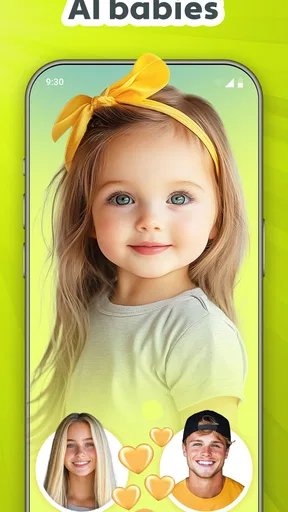
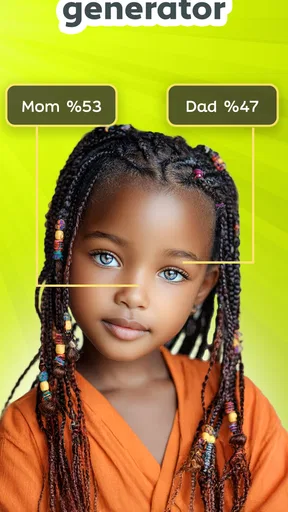

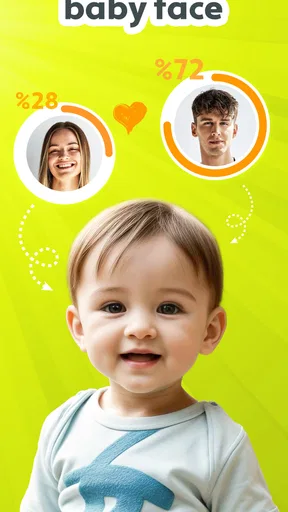
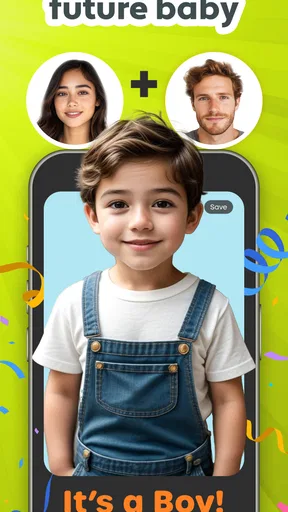
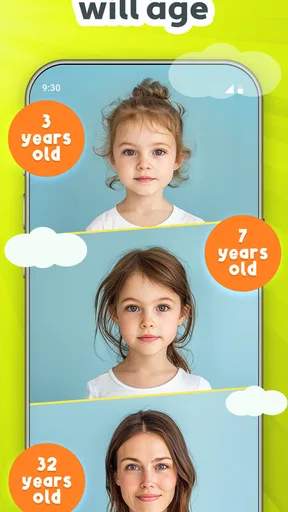
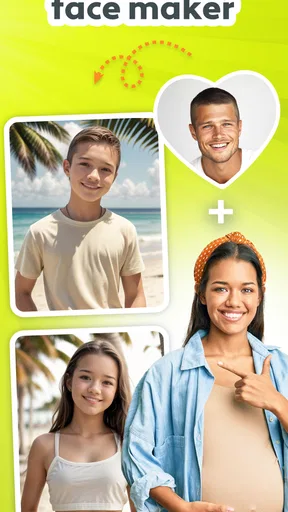
Our Review of Future Baby Generator, AI Baby
 Analysis by Appyee
I’d treat Future Baby Generator as a playful photo experiment, not a glimpse of anyone’s actual future. Its appeal is the quick transformation of two faces into an imagined baby portrait, which can make for a funny conversation or a lighthearted shared activity. The key is to go in expecting entertainment: an AI-generated face is an artistic blend, not a prediction about genetics or a real child.
The app is a free photography app from AI Photo Generator, AI Chat. It has a 4.4 average from around 63,000 ratings, and has been installed over 5 million times. That kind of reach makes it easy to see why people try it, though popularity doesn’t change what the results mean: enjoy the picture as a creative novelty rather than evidence of what a baby would look like.
What to expect from the first result
The central idea is simple: provide photos of two people and let the app create a baby face. You can use it with a partner, a friend, or simply as a silly experiment with two consenting people. The result is best approached like a playful portrait filter. Even a convincing-looking image is still an AI creation, and a different pair of source photos could lead to a different impression.
That distinction matters if someone in the group is taking the result seriously. I’d frame it as a bit of imaginative fun before sharing the finished image, especially if the topic of having children is personal or emotionally charged. The app works best when everyone involved understands that it is not a genetic tool, a medical service, or a reliable forecast.
Getting Started with Future Baby Generator
First things first, downloading the app is a breeze. It's available on both Android and iOS, so no one’s left out of the fun. Once installed, you’re greeted with a slick and user-friendly interface. The app doesn’t waste any time with lengthy intros—you’re right into the action, which I appreciated. Who has time to read a tutorial these days, right?
On Android, the listed minimum operating system is version 7.0, and the current version is 2.9.31. The app is rated Everyone, so its subject is light in tone, although I would still be thoughtful about whose photos I use and where I share the result. It is free to install, with in-app purchases ranging from $2.99 to $39.99 per item, so I’d check any purchase prompt carefully and decide whether the basic experience is enough before spending.
Uploading Your Photos
The main feature of the Future Baby Generator is, of course, predicting your baby's features. You start by uploading a photo of yourself and your partner (or whoever you want to try this with). The app accepts a variety of photo formats and the upload process is pretty seamless. A quick tip: make sure the photos are clear and well-lit for the best results.
For a first attempt, I’d choose straightforward portraits rather than pictures taken at a party, in deep shadow, or with distracting objects close to the face. A useful, less obvious approach is to prepare two photos with similar framing and lighting. When one image is a close-up and the other is taken from far away, the final blend may be harder to interpret; keeping both faces similarly sized gives the app cleaner material to work with.
I’d also choose images where each person’s face is easy to see. Sunglasses, strong filters, unusual angles, or hair covering much of the face can make a playful result feel less recognizable. If the first image looks odd, I wouldn’t immediately assume the app has failed: try a different pair of ordinary portraits and compare. That small change is often more useful than repeatedly judging one output.
The Magic of AI
Once the photos are uploaded, it’s time for the AI to work its magic. This is where the app really shines. It uses advanced algorithms to analyze facial features and predict what your future child might look like. I was pleasantly surprised by how quick the process was. In just a few seconds, I had a cute baby face staring back at me on my screen.
I have to say, the results were surprisingly realistic. The AI seems to do a pretty good job of blending features from both photos. Of course, it’s all in good fun and not a guarantee of what a real baby might look like, but the app does a solid job of creating a believable image.
A good way to judge the first output is to ask whether it feels like a fun composite, not whether it has correctly inherited particular traits. The generator turns a pair of pictures into one imagined face; it cannot account for the many biological factors that shape a real child. I’d avoid using its image to make family-planning decisions or to reassure someone about what a future child will look like.
For a more enjoyable first session, I’d keep the experiment simple: choose two clear photos, generate one result, and decide together whether it is worth trying different portraits. That gives you a useful comparison without turning the activity into a hunt for a supposedly “accurate” answer. The app is better at prompting a laugh or a conversation than settling a question.
Exploring Additional Features
The app doesn’t stop there. It also offers a few fun extra features. You can add different backgrounds to your baby’s photo, which I found entertaining. There’s also an option to share the results directly from the app on social media or send it to friends via messaging apps. I mean, if you’re going to imagine your future baby, you might as well share the cuteness, right?
Sharing is an easy next step, but I’d pause before posting a picture publicly. The image is built from identifiable faces, and a joke that feels comfortable in a private chat may not feel as comfortable on a public profile later. I’d ask the other person first, and if the result is only meant for a small group, send it privately instead of broadcasting it.
Another feature that caught my eye was the ability to save your predicted baby photos to an album within the app. This is perfect for those who like to keep their imaginary offspring organized. Plus, you can revisit and have a laugh whenever you want.
If you make several versions, saving them can help you remember which source portraits produced the most amusing outcome. I’d treat the album as a collection of novelty images rather than a meaningful record. For anyone who prefers not to keep a playful face blend around, it’s reasonable to skip saving and simply enjoy the result in the moment.
Who will enjoy it, and who may prefer another approach
I can see this working especially well for couples looking for a low-stakes conversation starter, friends who enjoy photo effects, or anyone who wants a quick, shareable image for a private joke. A realistic everyday moment might be a quiet evening when two people are scrolling through old portraits and decide to try the generator together. Picking clear pictures, making one result, and laughing over the resemblance is a complete use for the app; there’s no need to turn it into a bigger project.
Compared with a standard photo editor, this app is focused on a very specific transformation rather than giving you broad control over retouching, layers, or composition. A general editing app is a better choice if your goal is to make a polished portrait or adjust a photo precisely. Compared with simply using a face filter, the appeal here is the idea of combining two people into an imagined baby face, but the trade-off is that you have less reason to interpret the output as anything more than a novelty.
I’d skip it if you want a scientifically grounded genetic estimate, if you are uncomfortable using other people’s photos, or if you need dependable photo-editing tools for a serious project. It may also be the wrong choice for someone who finds future-parenthood jokes stressful. In those situations, a regular photo editor—or no image app at all—would be a kinder and more useful option.
Small choices that improve the experience
One practical tip is to agree on the purpose before starting: are you making a private joke, creating something to share, or simply testing how the blend looks? That decision helps avoid awkwardness later. If you plan to share, get permission from the people whose portraits you used before sending or posting the output. If you do not have their permission, keep the result private.
Another useful trade-off is between variety and consistency. Trying portraits with different expressions can make the activity more entertaining, but it also makes comparisons less meaningful because the source images differ in more than identity. If you want to see how the app handles the same two people, use similarly lit, front-facing images first; if you want a less controlled experiment, change the portraits and treat each result as a separate joke.
The background option is worth using after you have a face you like, rather than as a way to fix a result that does not resemble the source photos. A new background changes presentation, not the underlying blend. That distinction can save time: choose the portraits for the face-generation step, then use a background only if you want the finished image to feel more playful or ready to share.
Cost, expectations, and a sensible next step
The app’s release date is March 31, 2023, and its free download makes trying the basic idea approachable. The in-app purchase range is broad, so I would not tap through a purchase screen casually. First see whether the feature you came for is available in the experience you are using; if an option is paid, consider whether you genuinely want it rather than buying just because a prompt appears. The listed range does not make every purchase necessary for enjoying the central concept.
With about 4,300 written reviews alongside its rating, there is plenty of public feedback to browse if you want another perspective before installing. I would still judge the app by your own needs: if you want a fast, lighthearted face blend, it has a clear purpose; if you expect a precise forecast, the premise itself cannot deliver that. Its focused nature is both its strength and its limit.
Is It Worth Your Time?
So, is the Future Baby Generator app worth a download? In my opinion, absolutely. It’s a fun and lighthearted app that doesn’t take itself too seriously. The AI technology is impressive and the user experience is smooth. While it’s not meant to be an accurate predictor of future offspring, it’s a great way to have a laugh with friends or your significant other.
If you’re looking for a way to kill some time and indulge in a bit of playful curiosity about the future, this app is definitely worth checking out. Just remember to take it with a grain of salt and enjoy the ride!
So go ahead, grab the app from your favorite app store, and let the AI take you on a little journey into what your future family might look like. You might just be surprised by the results!
Verdict
Strengths of Future Baby Generator, AI Baby
- Easy-to-use interface for quick results.
- Generates images in just a few seconds.
- Fun to use with friends and family.
- Offers multiple partner photo options.
- No intrusive ads interrupting use.
Limitations of Future Baby Generator, AI Baby
- Accuracy of results is questionable.
- Limited customization options.
- Requires high-quality photos for best results.
- Some features locked behind paywall.
- Occasional app crashes reported.
Other Releases by AI Photo Generator, AI Chat
View All
Hair Styler App, AI Hairstyle
Photography3.7
Similar Picks in This Category
View All
Google Photos
Google LLC4.4

Gallery
Google LLC4.2

Picsart AI Photo Editor, Video
PicsArt, Inc.3.9

B612 AI Photo&Video Editor
SNOW Corporation4.1

BeautyPlus-Selfie Photo Editor
PIXOCIAL TECHNOLOGY (SINGAPORE) PTE. LTD.4.5

Remini - AI Photo Enhancer
Bending Spoons4.1
Frequently Asked Questions
What is the Future Baby Generator, AI Baby app?
The Future Baby Generator, AI Baby app is a fun and entertaining application designed to predict the appearance of your future child. By using advanced AI algorithms, it combines photos of two individuals to generate a baby image. It's popular for its realistic results and ease of use, making it enjoyable for curious couples and friends.
How accurate is the Future Baby Generator app?
While the app uses sophisticated AI technology to predict future baby appearances, it is primarily for entertainment purposes. The results are generated based on photo inputs and are not scientifically proven. Users should view the predictions as fun possibilities rather than accurate forecasts of real-life outcomes.
Is the Future Baby Generator app free to use?
The app typically offers a free version with limited features, allowing users to get a basic experience of its capabilities. However, to access advanced features, such as higher quality images and additional customization options, users may need to make in-app purchases or subscribe to a premium version.
Does the app store or share my photos?
Privacy is a key concern for many users. The Future Baby Generator app generally assures users that photos are not stored or shared without consent. It processes images locally on the device. However, users should always review the app’s privacy policy to understand how their data is handled and ensure their privacy preferences are respected.
What devices and operating systems are compatible with the app?
The Future Baby Generator, AI Baby app is compatible with most modern Android and iOS devices. Users should ensure their device meets the app's minimum operating system requirements, which are typically outlined on the app's download page. Regular updates may also be necessary to maintain compatibility and access new features.
